
How to Play MW4 DMZ: Your First Deployment
Learn the entry flow for MW4 DMZ, prepare a first deployment and understand how objectives, loot and extraction fit together.
To play DMZ, own Modern Warfare 4, open the mode, assign an Operator to an Active Duty slot, choose Story Missions, Dynamic Operations or Free Roam, then deploy. A Free Loadout covers an empty stash. During the run, pursue objectives, loot, survive other players and AI, and extract before the risk outweighs the reward.
Scope: Launch flow checked 23 October 2026. Match length and approximate player count come from IGN’s launch guide; the site did not replay the game.
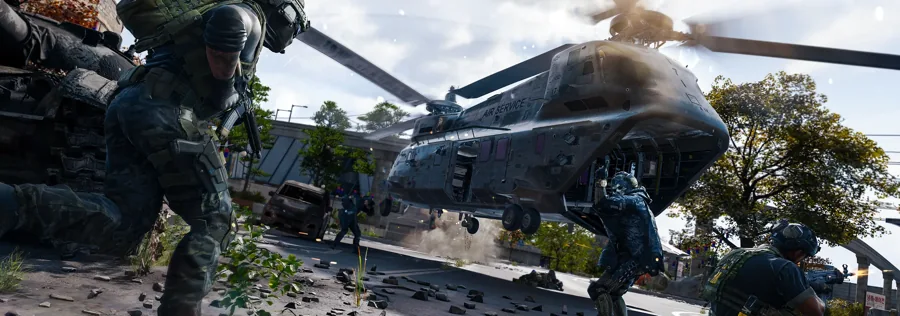
Before your first deployment
Your first meaningful decision is the Operator assigned to Active Duty. That character carries a persistent backpack, loadout and Trait progression. The assignment is not a cosmetic preset that can be swapped freely between runs.
An empty stash does not lock you out. The Ready Up screen offers a Free Loadout containing combat essentials, so you can deploy and rebuild from a failed run.
- Confirm that Modern Warfare 4 is installed and the DMZ mode is available for your platform account.
- Open Active Duty at the FOB and assign an Operator to an available slot.
- Choose Story Missions, Dynamic Operations or Free Roam for the deployment focus.
- Equip a loadout, or enable the Free Loadout option if you have no gear to risk.
- Review the mission or operation before committing, then deploy.
Choose what kind of run you want
Story Missions provide narrative-driven objectives at specific points of interest. Dynamic Operations supply a generated, multi-step objective. Free Roam leaves the route more open and lets you use phones found in Hajin to begin a Dynamic Operation later.
The choice changes structure, not the shared danger. Other human Operators and hostile AI remain part of the same combat zone, and the value of your equipment is always at risk until extraction.
| Choice | Best for | What it gives you |
|---|---|---|
| Story Missions | Learning the mode and following narrative objectives | A defined mission chain and tutorial-shaped objectives |
| Dynamic Operations | A focused objective with escalating steps | A multi-stage task generated for the match |
| Free Roam | Choosing your own route or finding a phone later | Open exploration and the option to start an operation in the field |
What you do during a run
DMZ is not a straight loot-and-leave loop. You balance an objective, your inventory and the possibility of rival players. IGN’s launch guide reports roughly 30 minutes before radiation begins spreading and upwards of 60 players in a match, but the official overview only describes the pressure and structure.
Move toward useful objectives, check the threat level as you enter areas and extract when the gear you have is worth keeping. A deeper push can find better loot, but it also extends the time before your gear is secure.
- Loot resources and equipment, but leave space for objective items and medical supplies.
- Use the threat indicator to judge how heavily an area may respond, while remembering that it does not count rival players.
- Treat every successful extraction as the point where recovered gear becomes useful for a later deployment.
- If a fight goes wrong, decide whether recovery is possible before other players arrive.
Extraction and the next run
Complete the exfil to carry recovered gear and resources into future deployments. DMZ XP can raise the Operator’s Dog Tag level, with a Trait Point awarded per level rather than per extraction. A failed run can cost carried gear without removing all long-term progress.
Back at the FOB, sort the Stash, inspect rewards and decide whether to repair the same Operator or change approach. The extraction guide covers failure and recovery, while the loadout guide explains what deserves a permanent slot.
What this first-run guide does not promise
The reviewed material does not provide a complete control list, a fixed spawn route or an exfil coordinate map. Those details are better sourced from the in-game tutorial and the live map than inferred from promotional images.
The structure above is enough to begin a supported run without pretending that a generic route works in every match.
Common questions
Can you play DMZ with no gear?
Yes. The Free Loadout option on the Ready Up screen provides combat essentials so an empty stash does not block deployment.
Do you have to start a Dynamic Operation before deploying?
No. You can select one as a deployment focus, or enter Free Roam and interact with a Dynamic Operation phone found in Hajin.
Sources and scope
This guide is editorial research based on published sources, not a first-hand playtest or official endorsement. Launch material was checked on .
Launch flow checked 23 October 2026. Match length and approximate player count come from IGN’s launch guide; the site did not replay the game.
- Official MW4 DMZ overviewOfficial / store
- Official FOB guideOfficial / store
- Official Hajin Tac MapOfficial / store
- Xbox Wire: How to get started as an Operator in DMZOfficial / store
- IGN: MW4 DMZ beginner guideReference
- Polygon: Dynamic Operation phonesReference