
MW4 DMZ Dynamic Operations: Objectives and Rewards
Understand how Dynamic Operations are selected in MW4 DMZ and how their objectives, completion and rewards differ from story missions.
A Dynamic Operation is a multi-step objective generated for the current match. You can choose Dynamic Operations as the deployment focus or enter Free Roam and interact with a green phone icon on the map. Completing the chain creates a supply drop and, according to IGN’s guide, a Cash payout of roughly 10,000 to 20,000. The operation is not the same as a Story Mission or a FOB Order.
Scope: Launch operation scope, checked 23 October 2026. Exact phone locations change between rounds; reward numbers come from IGN and are not presented as official totals.
What makes an operation “dynamic”
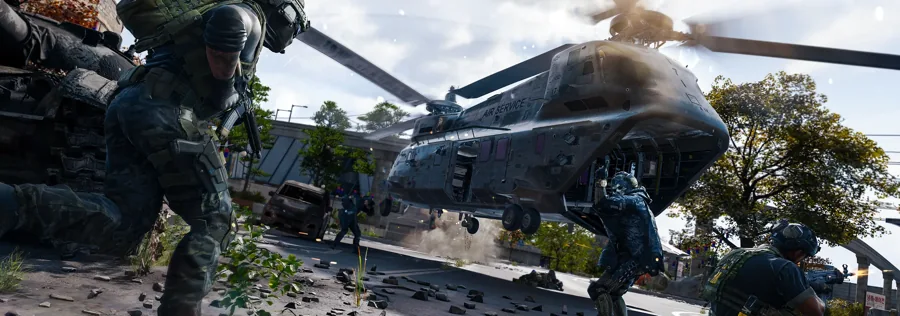
Dynamic Operations are generated for the match rather than fixed to one story chapter. The official overview describes multi-step objectives that can include weapons programs, asset recovery, rescue operations and assaults on hostile forces.
The steps may move the squad across several points of interest. That is why a Dynamic Operation is more than a single interaction: the player needs to follow the changing objective and survive the response it creates.
How to start one
The simplest supported start is to choose Dynamic Operations at deployment. IGN’s launch guide says this gives the squad an immediate task on infil.
In Free Roam, open the map and look for small green phone or handheld-radio icons. Travel to the icon and interact with it. Polygon reports that the phone’s smaller inner icon indicates the operation and that locations change every round.
- Choose Dynamic Operations as the deployment focus, or enter Free Roam.
- If entering without a task, open the map and identify a green phone icon.
- Travel to the icon and interact with the phone.
- Follow the generated objective steps and read the next location from the mission text.
- Complete the chain, secure the reward, then decide whether to extract.
What kind of objectives appear
These are objective categories rather than a promised list of every operation. The exact chain is tied to the current match and can place the fight in a different POI.
- Neutralising an abandoned weapons program or hostile production site.
- Securing a critical asset or package.
- Rescuing a person under threat.
- Assaulting a hostile force or a defended strongpoint.
- Moving between several points as the operation escalates.
Rewards and completion
IGN reports a Supply Drop of increasing rarity and 10,000 to 20,000 Cash for a completed operation. The official overview confirms the escalation and objective design but does not print those exact values.
The reviewed material does not spell out every condition for banking the Cash. Treat the reward as something to secure and extract rather than a confirmed deposit at the instant the final objective clears. If the run fails, the normal extraction risk still applies.
Dynamic Operation vs Story Mission vs Side Op
| Type | Selection | Shape | Support in the reviewed material |
|---|---|---|---|
| Dynamic Operation | Deploy focus or in-world phone | Generated multi-step chain | Official overview; IGN and Polygon guides |
| Story Mission | Deploy focus | Narrative objective at a named location | Official overview; mission tracker |
| Side Op | Found in the world | Smaller optional activity | Official overview examples |
| DMZ Order | FOB Orders | Tracked objective at the base | Official FOB guide |
Common questions
Do Dynamic Operation phone locations stay the same?
No. Polygon reports that the phone locations change every round. Use the current map rather than a saved coordinate list.
Are Dynamic Operations the same as DMZ Orders?
No. Dynamic Operations are generated in-match objectives; DMZ Orders are tracked at the FOB and unlock base functionality.
Sources and scope
This guide is editorial research based on published sources, not a first-hand playtest or official endorsement. Launch material was checked on .
Launch operation scope, checked 23 October 2026. Exact phone locations change between rounds; reward numbers come from IGN and are not presented as official totals.
- Official DMZ deep diveOfficial / store
- Official MW4 DMZ overviewOfficial / store
- IGN: MW4 DMZ beginner guideReference
- Polygon: Dynamic Operation phonesReference